
We hope you’ve all taken the time to explore our website with the free access now offered with each subscription to The Alabama Baptist (TAB).
If you haven’t gotten your credentials yet go to www.thealabamabaptist.org and click on the gold “Login” button at the top of the site.
From there click on the first “Click here” option in the description. Then type in either your zip code and account number (found on the mailing label of your paper) or your email address and zip code.
Then click the red “Find Account” button near the bottom of the screen.
Take advantage
When prompted type your new password in the bottom two text boxes. The system has a few requirements for the passwords, but be sure to set it as something you can remember.
Feel free to contact subscribe@thealabamabaptist.org if you have any questions or problems.
Once you’re all set up you can take advantage of everything the website has to offer.
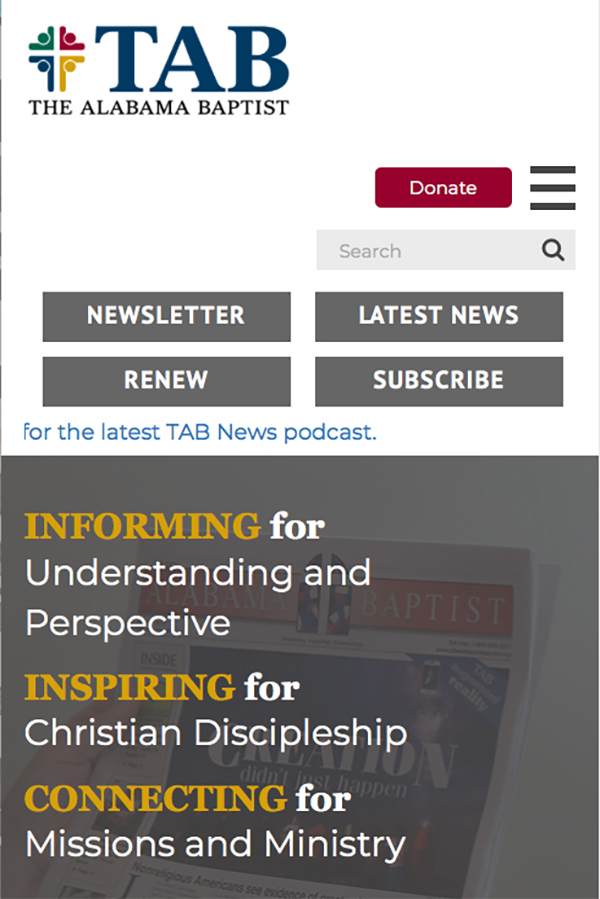
To find the website menu click on the menu button (sometimes called the hamburger button) in the top right corner of the screen. The menu will then appear where you can find anything you need from us at TAB.
Under the “About” column you’ll find options like the staff directory and special resources. Under “Explore” you can directly access all of our columns such as Theology 101 and Sunday School lessons, and find the TAB News podcast.
Under the “Submissions” column you can submit news and story ideas, staff changes, letters to the editor and much more. Under “Subscribe” you can choose from options such as “Start a new subscription,” “Renew your subscription” and “Manage group subscriptions.”
TAB’s website also includes TAB’s archive of 40,000-plus articles stretching back as far as the year 2000.
To search these archives type the exact phrase or topic you are looking for into the “Search” bar underneath the menu button. Search results will appear from newest to oldest, grouped in ascending order by level of exact match to the original search phrase.



Share with others: